
IT , Network & Security Tips

درباره سایت
آخرین مطالب
- SmartDNS
- روش نصب Patchهای ESXi
- Use AppLocker to Allow or Block Executable Files in Windows
- خروجی گرفتن از تنظیمات انجام شده در Local Group Policy
- How to Securely Wipe the Free Space on Your Windows PC
- TCP & UDP Dynamic Port Range
- (Find DNS Host Records (Subdomains
- معرفی 10 قابلیت مهم و جالب موجود در Windows Group Policy
- Sysprep
- مقدمه ای بر مدیریت دسترسی / حساب ممتاز
امکانات وب
This tutorial is going to show begiers how to easily setup a VNC server in Ubuntu 16.04 so to coect from remote machines.
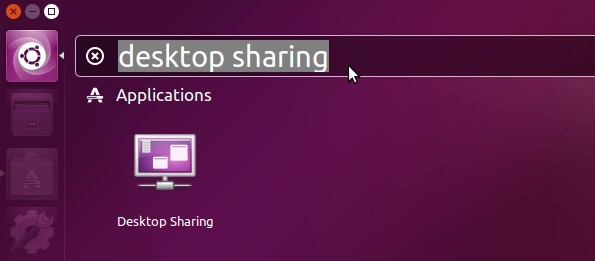
1.) Ubuntu desktop provides vino VNC server out-of-the-box with a simple UI calledDesktop Sharing.
برچسب: how to remote desktop,how to remote view,how to remote desktop windows 10,how to remote desktop mac,how to remote into a mac,how to remote play ps4,how to remotely shutdown a computer,how to remotely turn on a computer,how to remote login mac,how to remote control android,
نویسنده: رادین حکیمی
با این ابزار رایگان با بدافزارهای باجگیر مقابله کنیدباجافزارها، برنامههای تهاجمی هستند که پس از آلودهکردن کامپیوتر کاربران، تمام یا بخشی از اطلاعات هارددیسک را قفل یا رمزگذاری کرده و مبلغی را برای بازکردن این قفل از کاربران دریافت میکنند. مدت زیادی است که شرکتهای امنیتی کار بر روی نرمافزارهای ضد باجگیر را آغاز کردهاند. جدیدترین محصول تلاش شرکتهای امنیتی، ابزاری رایگان است که امکان دسترسی به دادههای قربانیان باجافزارها را فراهم میکند.
سه ابزار اصلی ضدباجگیری عرضه شده در این سایت CoinVault، WildFire و Shade نام دارند. در حال حاضر، تع
برچسب: no more ransom,no more ransom kaspersky,no more ransom europol,
نویسنده: رادین حکیمی
برچسب: cisco 878 interfaces,cisco 878 web interface,cisco 878 atm interface,cisco 878 hardware installation guide,cisco 878 integrated services router,cisco 878 enable web interface,cisco 878 no atm interface,cisco 878 g shdsl internet config,
نویسنده: رادین حکیمی
برچسب: cisco 878 bridge mode,cisco 878 g shdsl bridge mode,cisco 878 bridge mode configuration,
نویسنده: رادین حکیمی
To install a desktop environment, you'll need to enable package installation from the Inteet (the desktop packages aren't on the server installation CD). The installation program should have done that for you if it found an Inteet coection, but apparently it didn't.
Then run these commands to install a desktop environment:
sudo apt-get update
sudo apt-get install ubuntu-desktop
You should get a graphical login prompt at that point (I'm not completely sure; if you don't get one, reboot).
برچسب: run ubuntu server with gui,
نویسنده: رادین حکیمی
پس از خرید گواهینامه SSL فایل شامل را باز کنید.فایل را به سرور مربوطه منتقل کنید.
برچسب: ssl certificate installation,ssl certificate installation apache,ssl certificate installation iis,ssl certificate installation wordpress,ssl certificate installation in linux,ssl certificate installation windows server 2012,ssl certificate installation in iis 7,ssl certificate installation cpanel,ssl certificate installation in centos,ssl certificate installation nginx,
نویسنده: رادین حکیمی